From packing list to won quote
Haulier Finder reads the cargo, shows how it loads, prices the lane and sends the request to your hauliers from your own Outlook.
Sign in with your Microsoft work account.
Example · RoadHamburg → Milano1.836,80 € · 6.8 LDM · 1,142 km · 2–3 days
One load, start to finish
1 · Packing list
Drop in the packing list
A PDF, a spreadsheet or a photo. The colli, sizes and weights come back as cargo lines you can check before you use them.
packing-list-HAM-MIL.pdf2 pages · PDF- 12 ×120 × 80 × 150 cm560 kg per colli
- 5 ×120 × 80 × 110 cm556 kg per colli
Totals match: 17 colli, 9,500 kg2 · Trailer
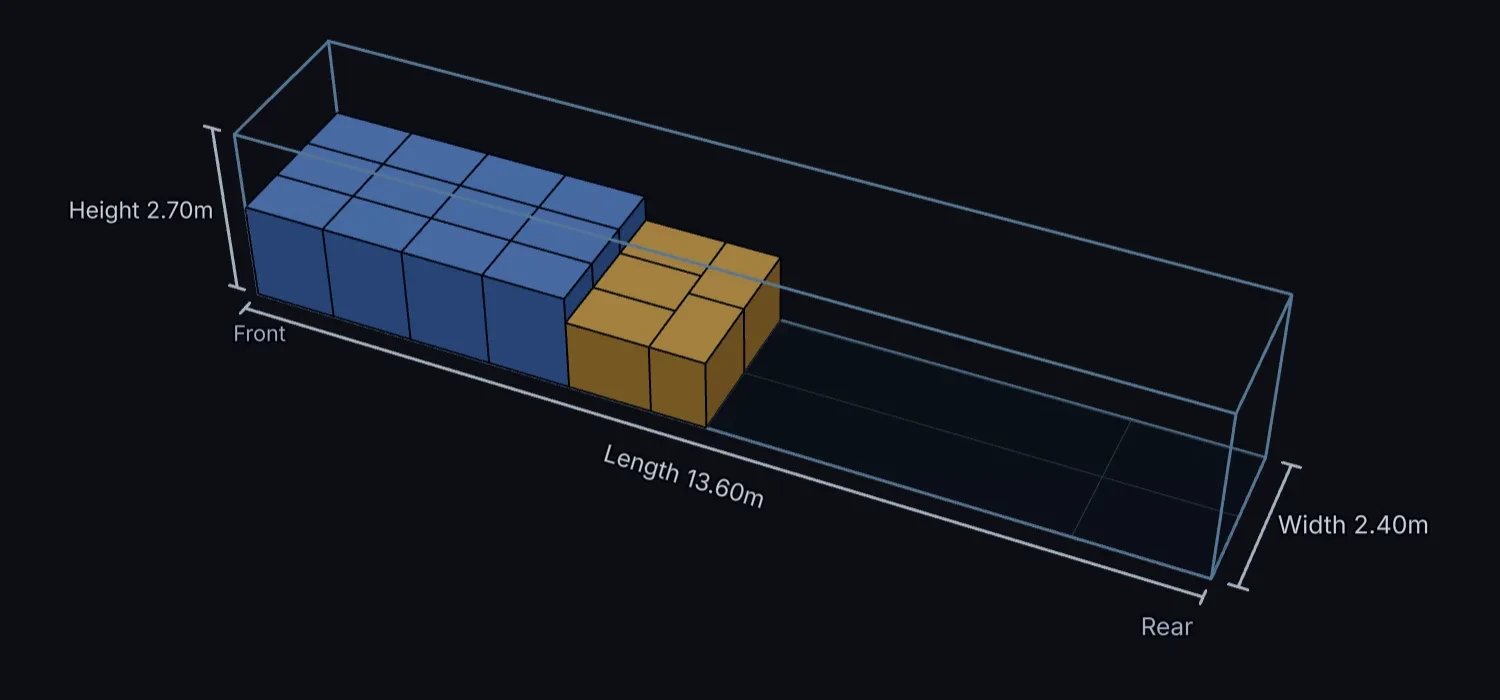
See how it loads
Pick the trailer and see the cargo in it, in 3D, with the loading metres and the weight.
3 · Price
Price the lane
A buy price, your margin and a sell price for the lane, before you have asked a single haulier.
Hamburg → MilanoRoad · 1,142 km · 2–3 days17 colli · 9,500 kg · 6.8 LDM
- Buy
- 1.640,00 €
- Margin
- 12.0%
- Sell
- 1.836,80 €
4 · Hauliers
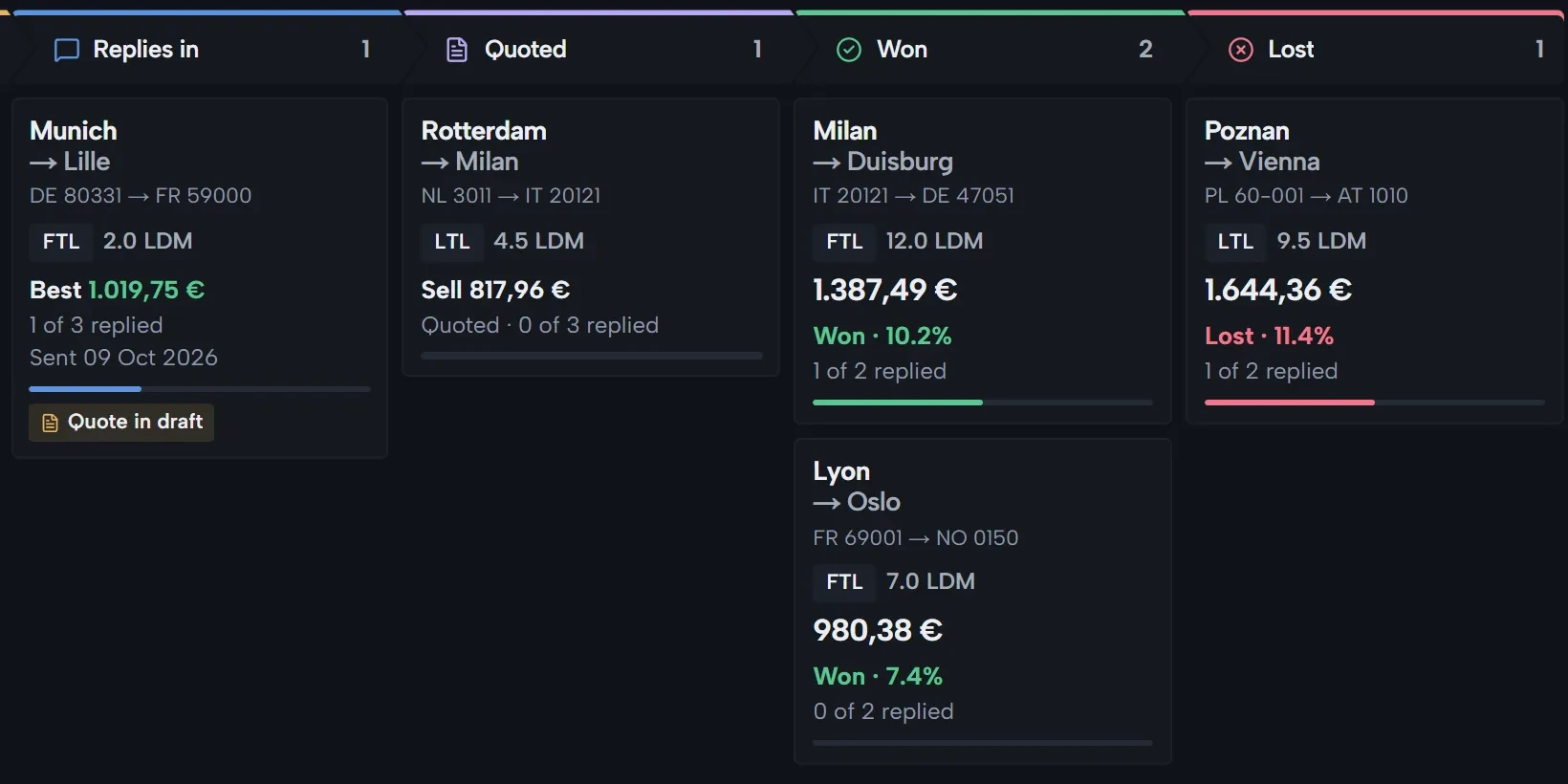
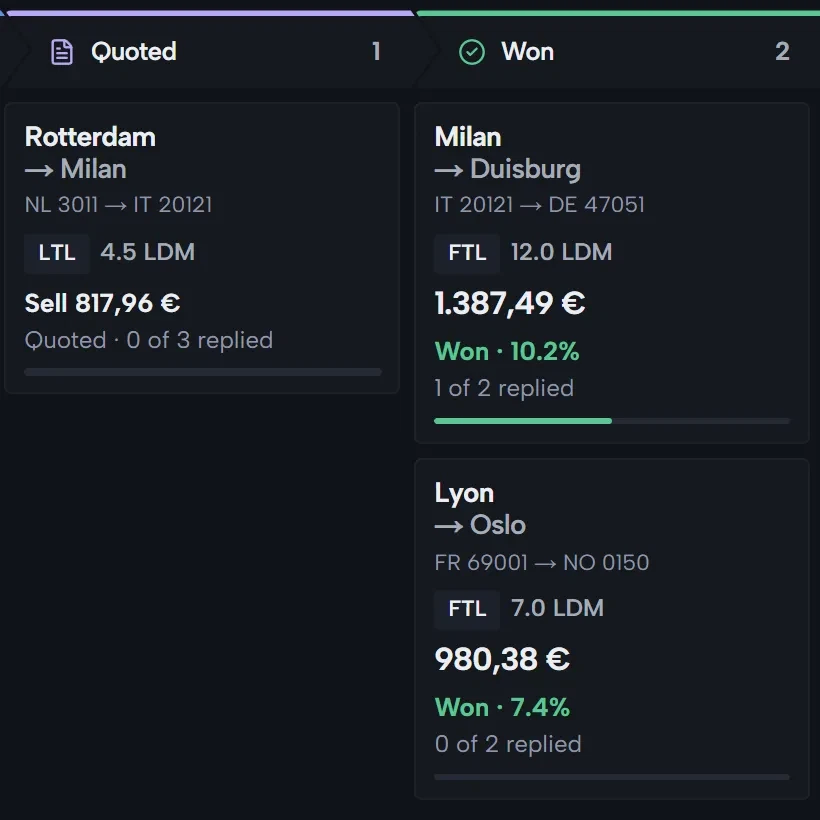
Ask your hauliers, follow every reply
One request from your own Outlook to the hauliers who run the lane. Replies, quotes and won jobs move across one board.
FAQ
How do RFQs actually get sent?
From your own Microsoft 365 mailbox. Hauliers see your real email address and reply straight to your inbox. You record each reply on its RFQ.
Is our data isolated from other companies?
Yes. Every record is scoped to your company, sign-in runs through Microsoft Entra ID, and no data is shared between companies.
Do we have to replace our TMS?
No. Haulier Finder sits beside your TMS: it handles your hauliers, RFQs and prices, not the transport itself.
What does it cost?
It is free to get started, no credit card required.